Volg je uitgaande e-mails in matchmaking CRM SmartMatchApp met \"BCC naar CRM\" functie
News • April 18, 2018
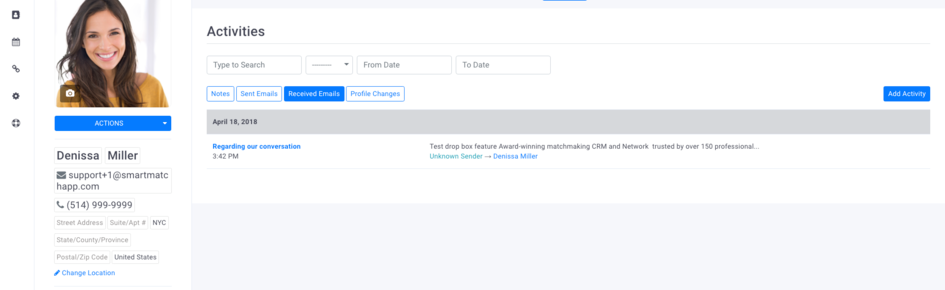
Gebruik uw unieke dropboxadres om een kopie van uw uitgaande berichten naar de matchmaking CRM SmartMatchApp te sturen.
Hoe het werkt:
1. BCC uw uitgaande e-mails met een uniek dropboxadres
2. Gebruik uw dropboxadres accounturl@in.smartmatchapp.com
- Dropboxadres is hoofdlettergevoelig
- "accounturl" betekent de URL vóór smartmatchapp.com in uw URL-inloglink. (Bijv: accounturl.smartmatchapp.com)
3. Om alle BCC-e-mails in de matchmakingactiviteiten van uw klanten te bekijken, gaat u naar het profiel van de klant en klikt u op Activiteiten > BCC'd E-mail.
Voel u vrij om contact met ons op te nemen zoals altijd, we zijn hier om te helpen!
SmartMatchApp Team!

SmartMatchApp is bekroonde matchmaking- en ledenbeheer software CRM die meer dan 100.000 gebruikers wereldwijd bedient


Middelen
Contacten
Taal
 Nederlands
 English
 Deutsch
 Français
 Español
 Italiano
 Українська
 Português
 Polski
 日本語
日本語


2026 © SmartMatch Systems Inc.
