Notizie • 1 ottobre 2026
The SmartMatchApp API Reference Is Now Public
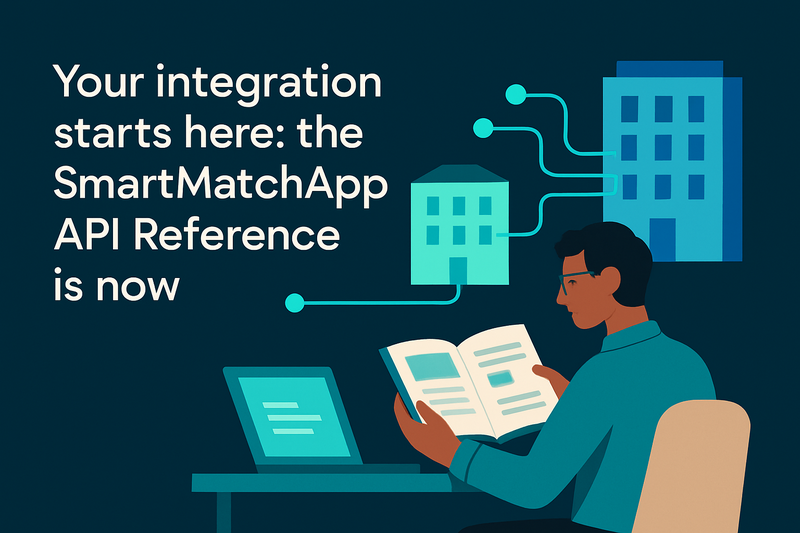
Every SmartMatchApp API endpoint and webhook is now documented in public — no login, no account, nothing to request. Read it before you commit to an integration.
By Kair Mourtazov, SmartMatchApp Product Speacilist
The full reference is at smartmatchapp.com/api3/doc/. It covers every endpoint in the api3 surface, plus the webhooks that notify your own systems when records change, and it is built from generic sample data rather than any real account's records. Hand the link to a developer and they can read the whole thing cold.
At a Glance
|
What |
Where |
Account needed? |
|---|---|---|
|
Endpoint reference — descriptions, sample requests, parameters, example responses |
No |
|
|
Webhooks reference — event payloads and how to receive them |
No |
|
|
OpenAPI schema for client generation and tooling |
|
Yes, with API access |
|
No-code automation across 2,000+ apps via Zapier |
Yes |
What's in the Reference
The reference documents the REST API in plain, browsable pages. The sidebar groups every endpoint by area — clients, matches, notes, files, tasks, photos and more — and each endpoint has its own detail page.
Each endpoint page gives you four things:
- A description of what the endpoint does and when to use it.
- A sample request you can copy, showing the exact shape of the call.
- The request parameters and fields it accepts, documented one by one.
- An example success response, so you know what comes back.
That order is deliberate. In an observation study of developers working with an unfamiliar REST API, the endpoint reference and copyable code examples were the two resources they leaned on most.
Scope an Integration Before You Commit
Reading the reference is a self-service step in evaluating an integration. You can judge whether the endpoints, request shapes and data model line up with your plans before committing to anything.
It also changes how an agency hands the work off. If you run a matchmaking business and you have a developer, in-house or contracted, you can send them straight to the reference. They can scope the integration, estimate the effort and come back with sharper questions, without you having to provision an account for them first. For an agency evaluating SmartMatchApp, that means the technical question and the buying question get answered at the same time.
The same pages serve an existing client's external developer planning a build against a live account. The documentation is generated from the same endpoint registry that powers the API, so what you read is what the API does.
Webhooks: Let SmartMatchApp Tell Your Systems
Webhooks let your own systems react to changes in your account without polling for them. You point a webhook at a URL on your server and receive event data as a JSON payload whenever something happens — a client or a match being created or updated, for example.
The webhooks reference covers the events available and the shape of what arrives, so your developer can plan the receiving end before any account is set up.
For Account Holders: An API That Describes Itself
Once you have an account with API access, there is a step beyond the human-readable pages. Integrators can fetch a machine-readable OpenAPI schema at /api3/openapi.json. It is generated from the same endpoint registry that powers the API, so it always reflects the endpoints your account can actually reach — an endpoint you don't have access to simply isn't advertised in your schema.
Because the schema is standard OpenAPI, you can point your tooling at it to generate client libraries, request models and typed calls instead of hand-writing and maintaining them. When your available endpoints change, you regenerate from the schema rather than chasing the differences by hand.
Where the API Fits Next to Zapier
The API is documentation, not a no-code catalogue. If you would rather wire tools together without writing code, the Zapier integration on our features page is the place to start — it connects SmartMatchApp to 2,000+ apps through triggers and actions, with no developer involved.
The API is for the cases Zapier can't reach: a custom intake flow on your own site, a members area you built yourself, syncing client records into another system on your terms, or any workflow where you need control over the request and the response. Agencies running business matchmaking programs tend to hit that line early, because their matching logic and their reporting both live partly outside the CRM.
If you are earlier in the evaluation and still mapping out what a matchmaking platform should do for you, start with our guide to AI matchmaking software and come back to the API question once the core workflow is clear.
Frequently Asked Questions
Does SmartMatchApp have a public API reference? Yes. The complete SmartMatchApp API reference is public at smartmatchapp.com/api3/doc/, with no login, no account and no request required. It documents every endpoint in the api3 surface, grouped by area.
Do I need a SmartMatchApp account to read the documentation? No. Anyone can browse the endpoint reference and the webhooks reference without an account. An account with API access is only needed to make live calls and to fetch the OpenAPI schema.
Does SmartMatchApp support webhooks? Yes. SmartMatchApp can send event data as a JSON payload to a URL on your server whenever something happens in your account, such as a client or a match being created or updated. The webhooks reference documents how to set this up.
Is there an OpenAPI schema for the SmartMatchApp API? Yes. Account holders with API access can fetch a machine-readable OpenAPI schema at /api3/openapi.json. It is generated from the same endpoint registry as the API and is scoped to the endpoints that account can reach, so you can generate client libraries and typed calls instead of hand-writing them.
What is the difference between the API and the Zapier integration? The Zapier integration connects SmartMatchApp to other apps without code, while the API is for custom builds that need direct control over requests and responses. Most agencies start with Zapier and move to the API when a workflow outgrows it.
Is the public documentation built from real client data? No. The public pages use generic sample data — placeholder client types, lists and field values — rather than any real account's records.
Where to Start
Open the API Reference, use the sidebar to jump to the area that matters to you, and read an endpoint's sample request and fields. If you have a developer, send them the link and let them come back with questions.
When you are ready to talk through an integration or get API access set up, book a call with our team. If you are still comparing platforms, the features page and pricing cover how SmartMatchApp fits the tools you already run.